
Receipt tagging with your own categories and AI suggestions
Create the categories that match your life or business, tag whole receipts or single items, and see totals by tag. With Premium, AI suggests tags from your own list and nothing is applied until you say so.


- Tags on receipts and items
- Totals by tag
- AI suggestions with Premium
Auto-tagging
Tags turn a pile of receipts into a spending breakdown
Every tag you apply feeds the Statistics screen, so the month reads as tags, not as a list of shops.
Tag receipts and single items
Give a whole receipt one tag, or tag the items on it when one shop covers groceries, household and snacks.
Read the month by tag
The donut shows how much went to each tag, and untagged items get their own slice so nothing hides.
Drill into any slice
Tap a tag to list its receipts and items, or switch the lens to items, merchants or currencies.
- Groceries$342.6040%
- Dining$186.2022%
- Household$98.4511%
- Snacks$64.307%
- Personal Care$47.806%
- Untagged$121.4014%
Organize
Scan it, tag it, find it later
Every receipt becomes a searchable record with its image attached, so keeping receipts stops being a shoebox problem.
Scan
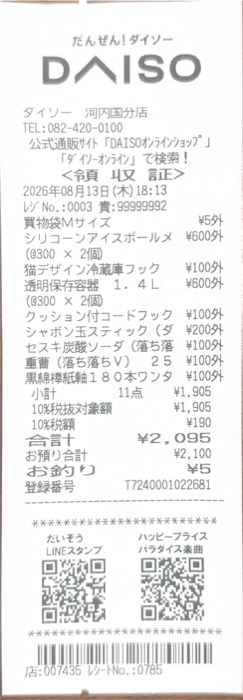
Camera, Photos, screenshots or PDF. Each receipt is read into merchant, date, total, tax and line items.
Tag
Tag receipts and single line items with your own categories. With Premium, AI suggests tags from your list and you approve them.
Find
Search a word printed on the receipt, filter by tag or date range, and open the original image for a return, a warranty or an audit.
Questions before you scan
Can I organize receipts with my own categories?
Yes. Create your own tags and apply them to whole receipts or single line items. With Premium, ReceiptGenie suggests tags from your list and you approve them before they are applied.
Can I keep business and personal expenses apart?
Yes. Tag receipts and even single line items, then filter statistics and reports by tag. Tags are yours to define, for clients, projects or trips.
Does AI tagging learn from me?
It chooses from your own tag list and shows a reason for each suggestion; you approve before anything is applied. It does not invent tags or change your list.
What is free?
25 Smart Scans, every capture method, tags, search and statistics. Premium adds unlimited Smart Scans, AI auto-tagging, currency conversion, receipt translation and report exports to PDF, CSV and XLSX.
Tag your receipts your way
Download ReceiptGenie, create a few tags, and with Premium let the suggestions do the rest.
Free to download on the App Store and Google Play.